
Click a link below to get started with our initial consultation.
Please upload the following files so we can get started on your project:
- Your logo (in SVG, PNG, or AI format if possible)
- Brand colors (hex codes or a screenshot of your style guide)
- Any fonts you use (or let us know the font names)
- Examples of existing marketing materials
What if I don't have everything?
No worries – upload whatever you have now. You can always add more files later, or we can work with you to develop what's missing.
You cannot upload files to a public portal.
Here are your latest design mockups. Download each file to review at full resolution.
How to give feedback:
- Download and review each design
- Note any changes you'd like using the feedback form below
- We'll schedule a review call to walk through everything together
Nothing here yet. Once files are added, they'll appear here.
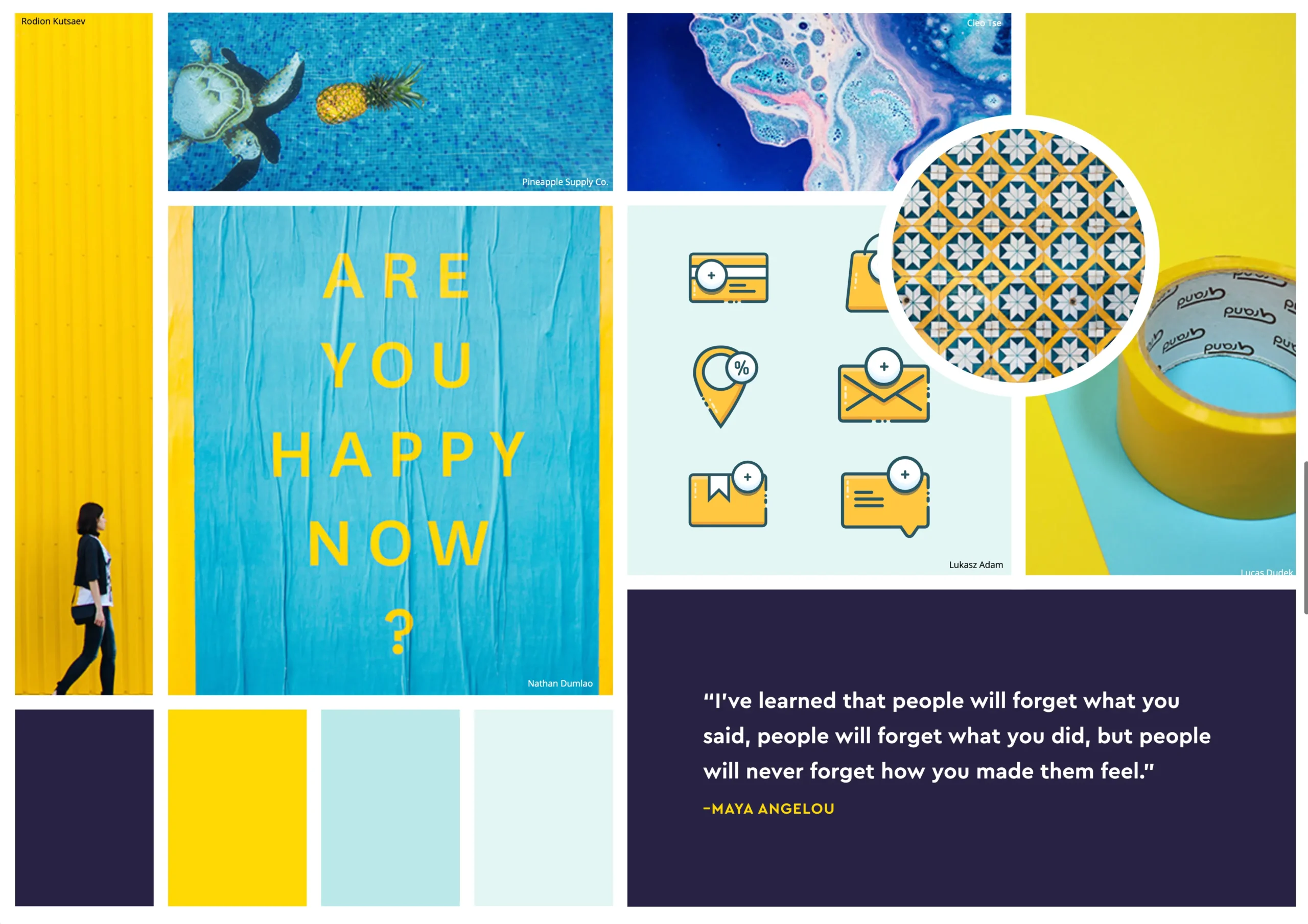
Browse through our initial design inspiration. These images capture the aesthetic direction we're exploring for your brand.


These reports cover the initial SEO audit and recommended optimizations. Key findings are highlighted in yellow within each document.
Your completed project files are ready to download. This package includes:
- Logo files in SVG, PNG, and PDF formats
- Brand style guide with colors, typography, and usage rules
- Social media templates sized for Instagram, Facebook, and LinkedIn
- Source files in Figma format
You cannot upload files to a public portal.
Need something updated on your site? Upload your request here with any relevant files.
After launch, we offer monthly maintenance plans to keep your site running smoothly. Your first month is complimentary!
Managing your new website
Congratulations on your new website! This guide covers everything you need to know about keeping your site updated, secure, and running smoothly.
You’ve got this!
WordPress is designed to be user-friendly. Most day-to-day tasks like editing text, adding images, and publishing blog posts are as simple as using a word processor. If you ever get stuck, just refer back to this guide.
Updating content
Your site is built on WordPress, which makes updating content straightforward. Here are the most common tasks:
- Blog posts: Navigate to Posts → Add New in the dashboard
- Pages: Go to Pages and click any page to edit
- Images: Use the Media Library to upload and manage images
- Menus: Navigate to Appearance → Menus to update navigation
Updating your website
WordPress, themes, and plugins release regular updates for security and new features. Here’s how to keep everything current:
Always back up first
Before running any updates, make sure you have a recent backup. Your hosting provider may offer automatic backups, or you can use a plugin like UpdraftPlus.
To check for available updates, navigate to Dashboard → Updates. You’ll see a list of available updates for WordPress core, plugins, and themes. To update, simply select the items and click the update button.
If you ever need to check the current WordPress version programmatically, you can add the following to your theme’s functions.php file:
// Display the current WordPress version in the admin footer
function polymark_show_wp_version() {
    $version = get_bloginfo( 'version' );
    $php_ver = phpversion();

    return sprintf(
        'Running WordPress %s on PHP %s',
        $version,
        $php_ver
    );
}
add_filter( 'admin_footer_text', 'polymark_show_wp_version' );
A note on plugin updates
Some premium plugins (like your SEO tool and page builder) require a valid license key to receive updates. If an update fails, check that your license hasn’t expired under Settings → Licenses.
Security best practices
Do
- Keep WordPress and plugins updated
- Use strong, unique passwords
- Run regular backups
- Monitor login attempts
Don’t
- Install untrusted plugins or themes
- Share admin credentials via email
- Ignore update notifications
- Delete files from the server directly
Never edit core files
WordPress core files (anything in wp-includes/ or wp-admin/) should never be edited directly. Any changes will be overwritten by the next WordPress update and could introduce security vulnerabilities.
Getting help
If you run into any issues or need help making changes to your site, we’re here for you:
- Check this guide first — most common questions are answered here
- Email us at hello@youragency.com for non-urgent requests
- For urgent issues, call (555) 123-4567 during business hours
Your first month of support after launch is complimentary. After that, we offer affordable monthly maintenance plans to keep everything running smoothly.